
Find and Reserve
Expressway Bus Seats Online!
- Mobile version
- Desktop version
Visit highwaybus.com and
access the Top page.
https://highwaybus.com/gp/index
Recommended browser: Google Chrome
* Other browsers may not translate accurately.
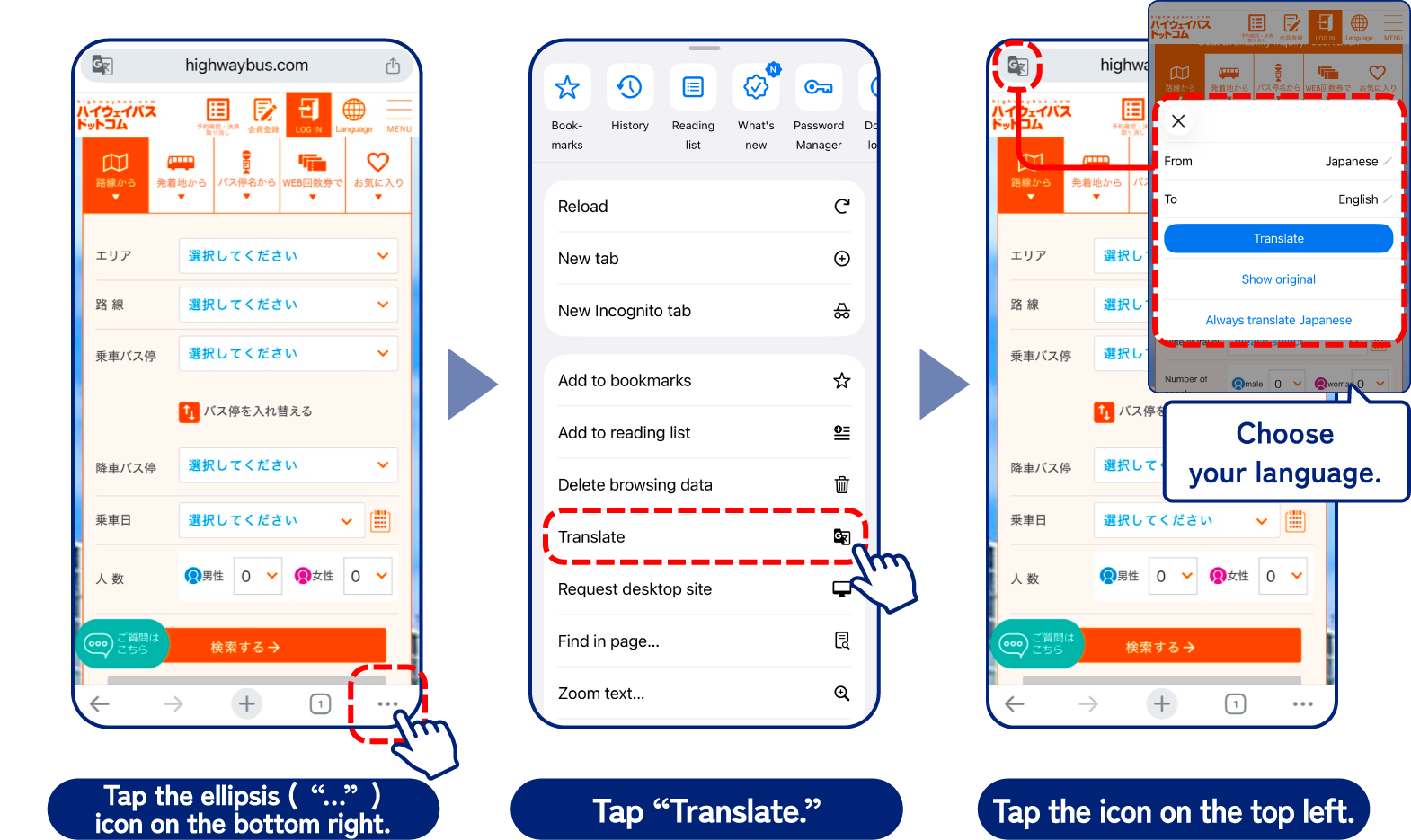
Translation Settings
If you register as a member in advance,
it will make it easier to make reservations.
* Registration is not required.
- How to Reserve Expressway Bus Seats
- How to change or cancel a reservation
How to Reserve Expressway Bus Seats
Check Availability / Reserve
-

-
Search by route Select all your desired stops in order.
-

-
View Schedule Select a time and service
-

-
Select Seat Confirm your reservation details and then select your seat
-

-
Enter Information
-

-
Confirm Details
-

-
Reservation Completed Make sure to write down
your reservation number
and phone number
The information is current as of March 2026
- Search by route
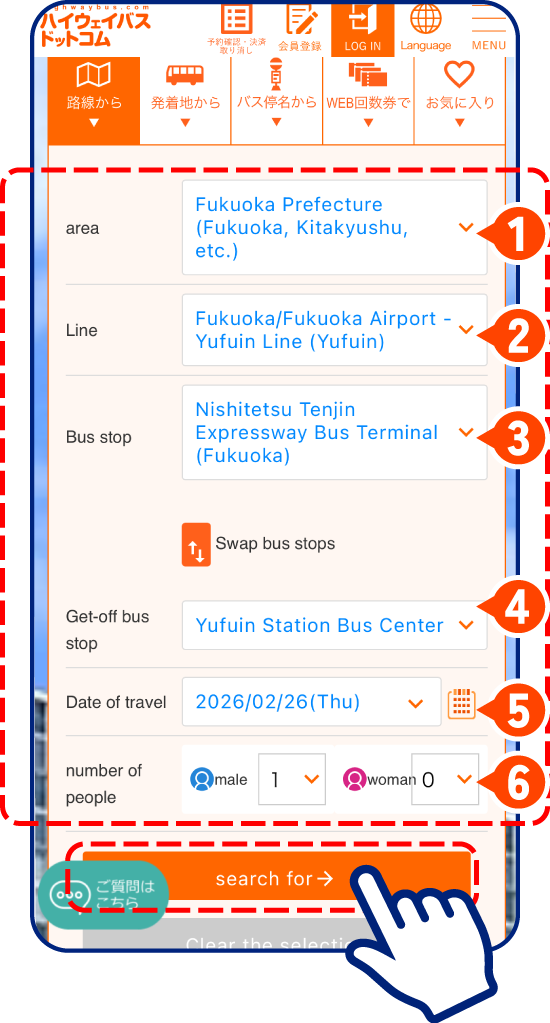
Select all your desired stops in order.

Area

Route

Depart

Arrive

Departure date

Number of passengers
When you’re done, just tap.
- View Schedule
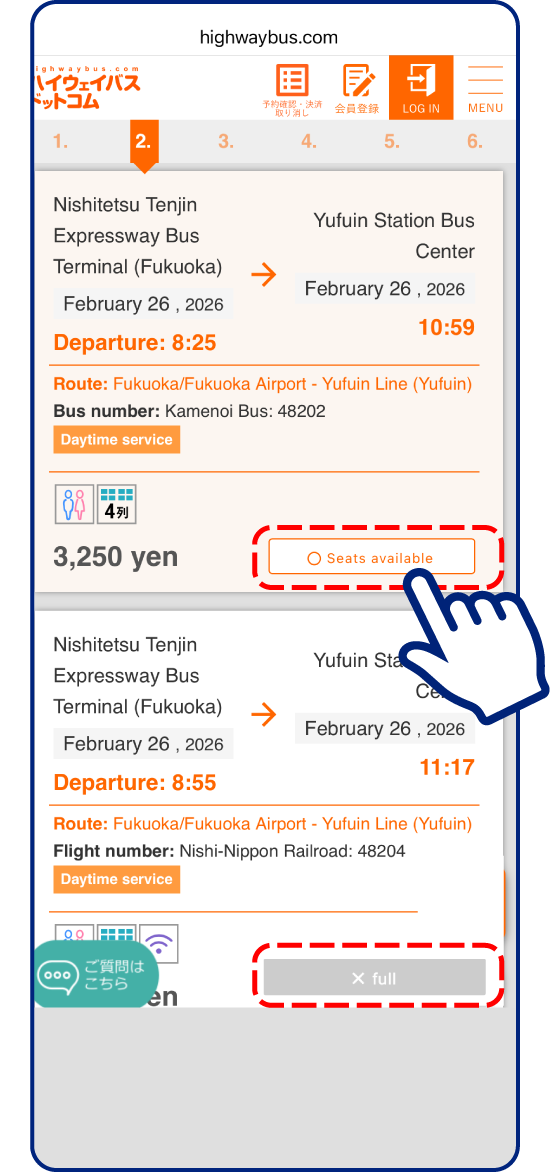
Select a time and service!
Available

Unavailable

If it says “x full,” there are no seats available.
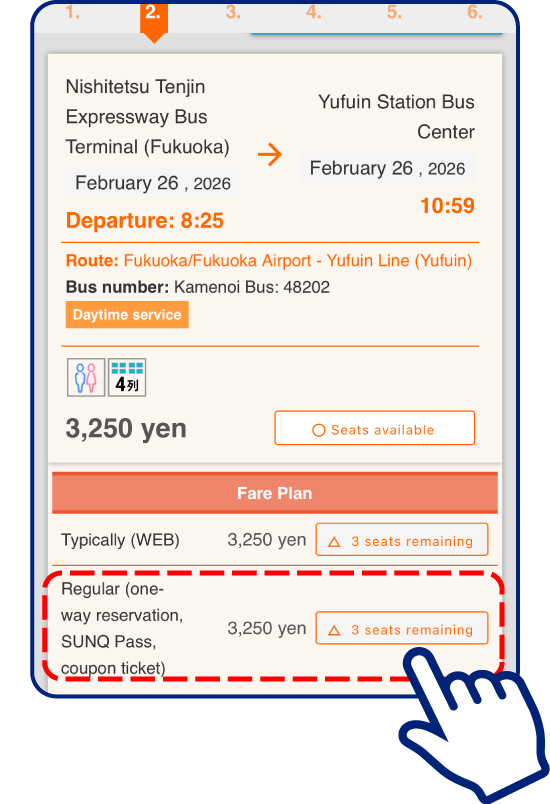
The SUNQ Pass is a convenient and affordable option for unlimited rides on expressway buses in the Kyushu and Shimonoseki area within a designated period.
No need to pay the fare each time!
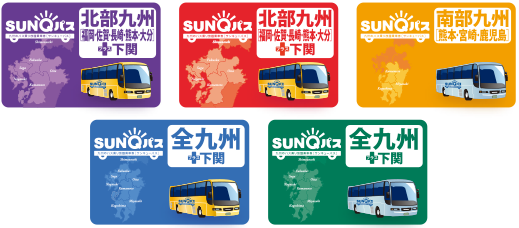
* Excluding some buses in Kyushu
Tap the button in the SUNQ Pass row
Make sure to select the SUNQ Pass plan and then tap.
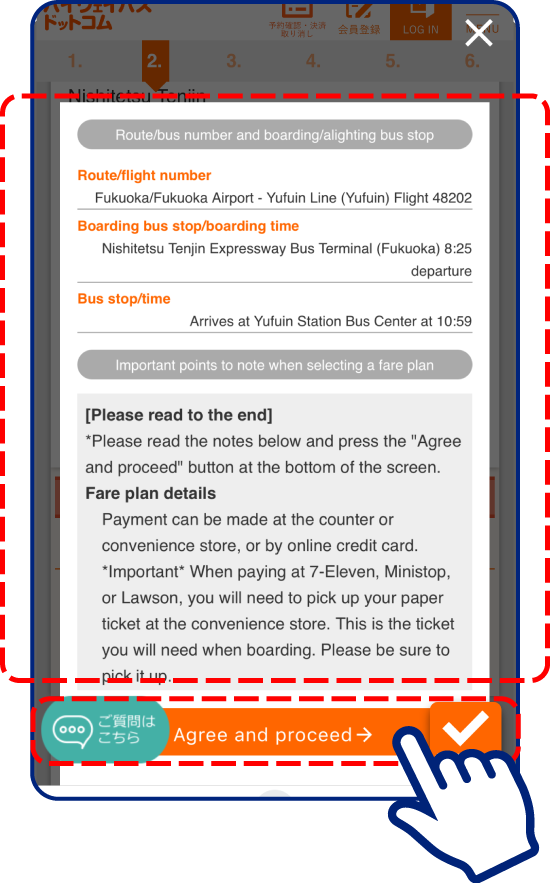
Check
Review your reservation details, read the notes, and proceed to the next step.
- Select Seat
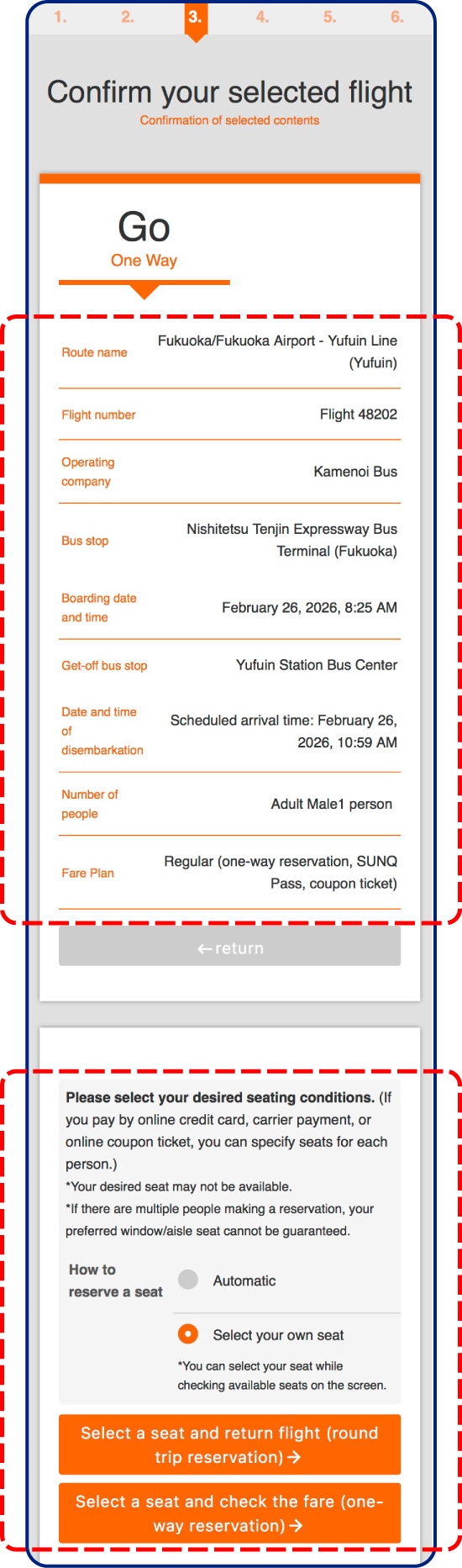
Confirm your reservation details and then select your seat!
Double-check the date and time!
Choose either a One-Way or Round-Trip seat reservation.
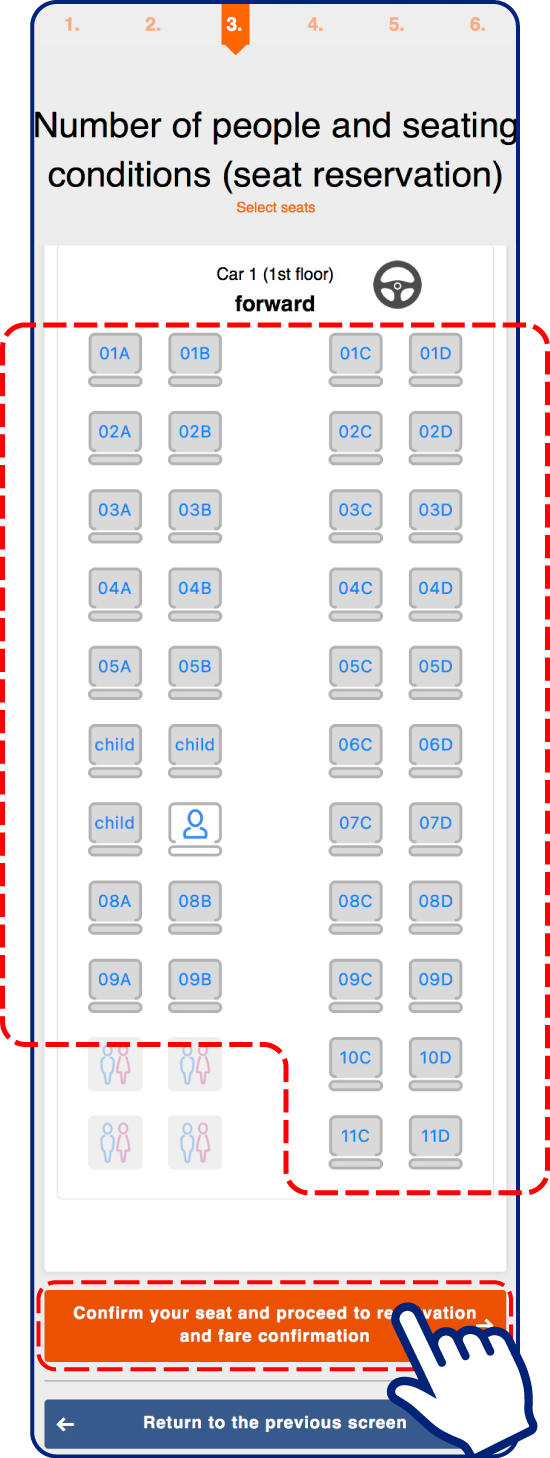
Select your seat.
- Enter Information
Member
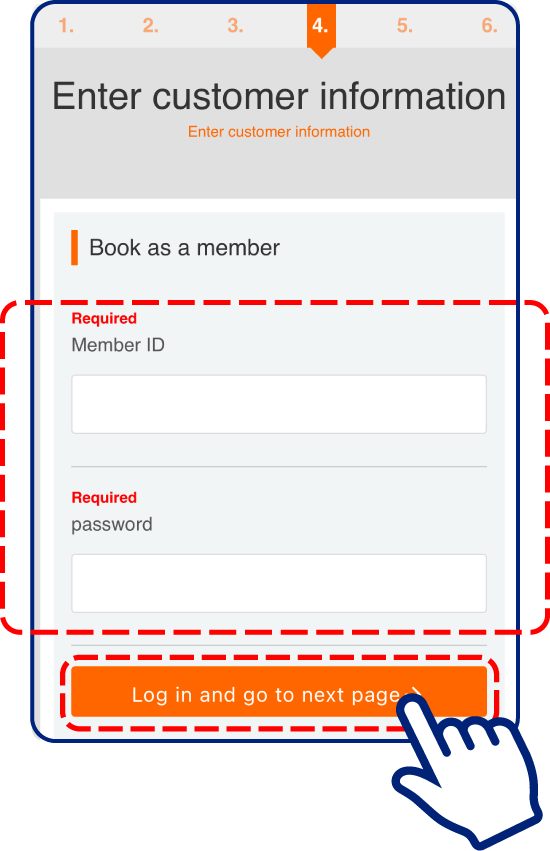
If you are a member, enter your ID and password now.
※If you register as a member now, you will need to
re-enter your information from the beginning
Guest
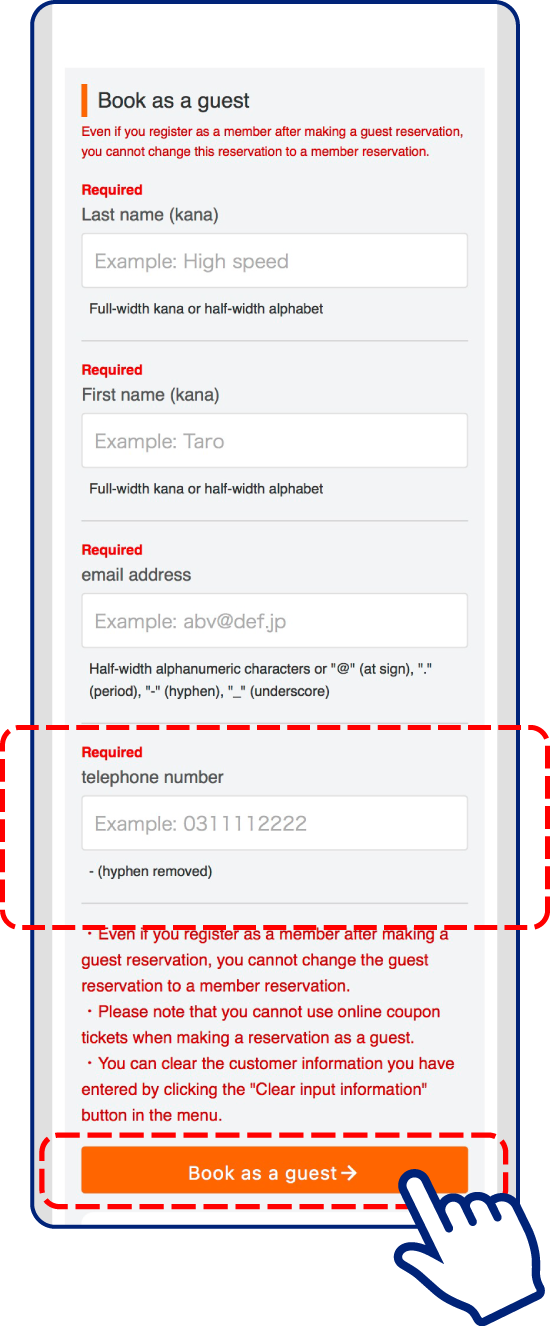
Remember the phone number you use.
You will need it to get your seat reservation ticket at the counter.
- Confirm Details
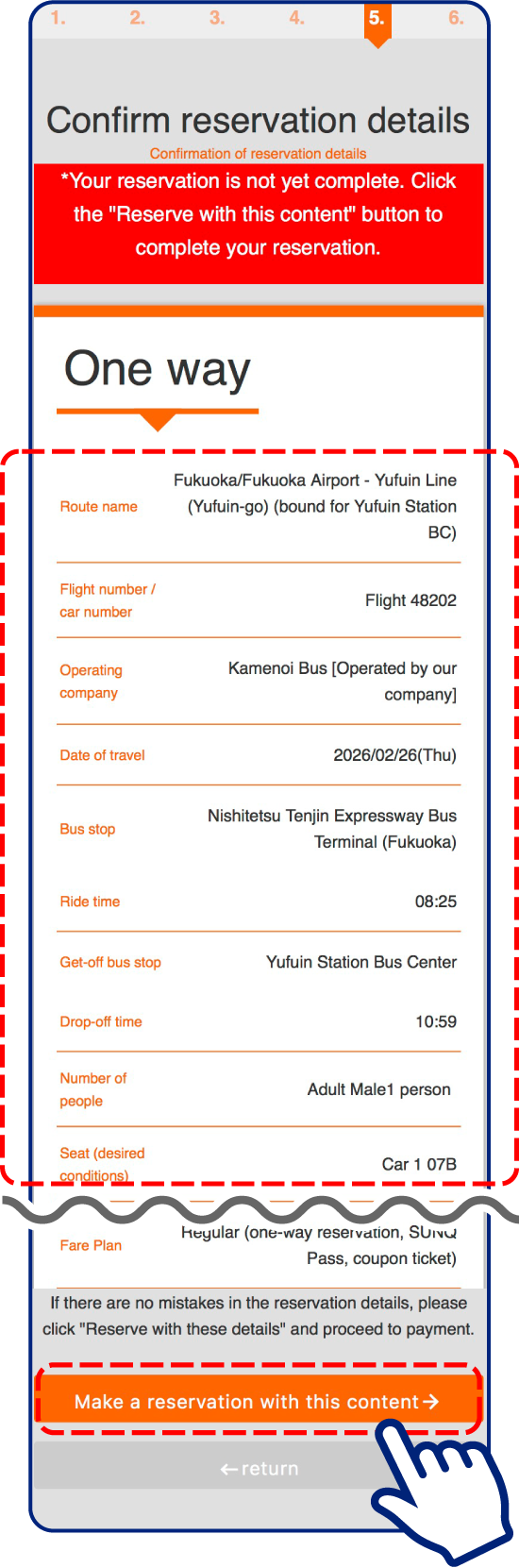
Review your reservation details, then tap.
Check
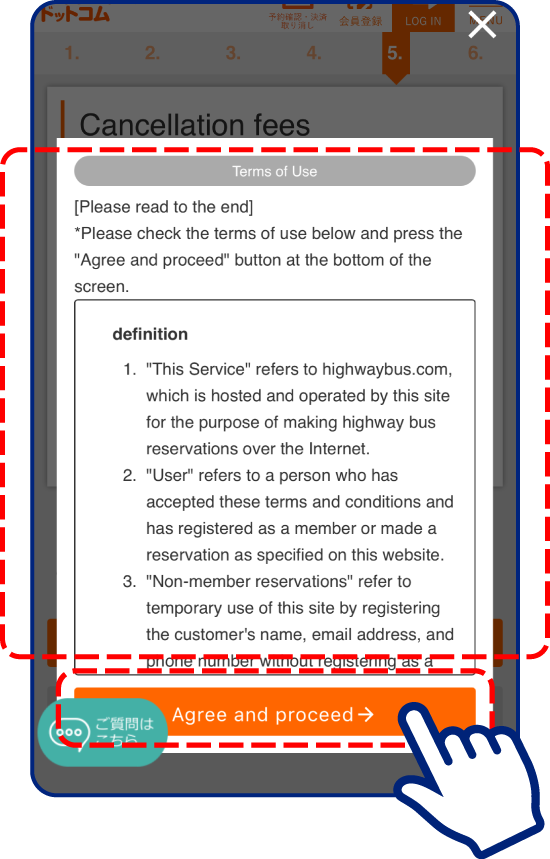
Read the Terms of Use thoroughly.
Tap “Agree”
- Reservation Completed
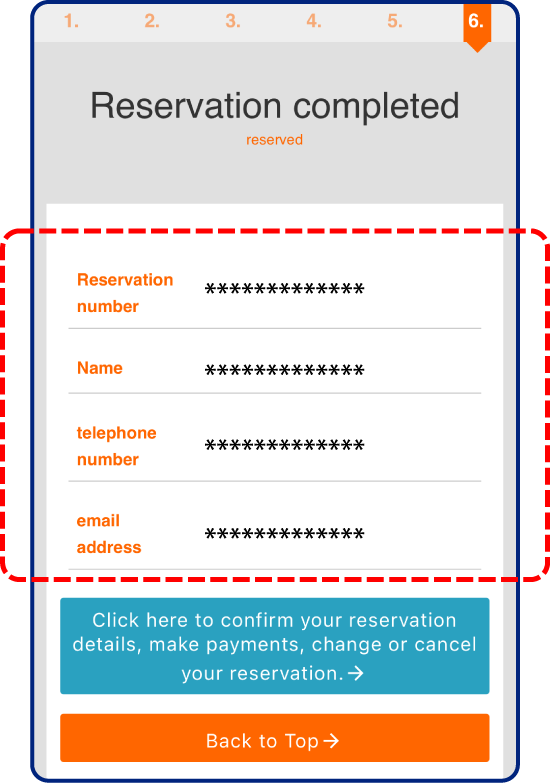
Reservation Completed
Attention
Make sure to write down your reservation number and phone number.
You will need them to get your ticket, make changes, or cancel.
A confirmation email will be sent to the email address you registered.
The email will be in Japanese.
How to change or cancel a reservation



- From the reservation completion screen
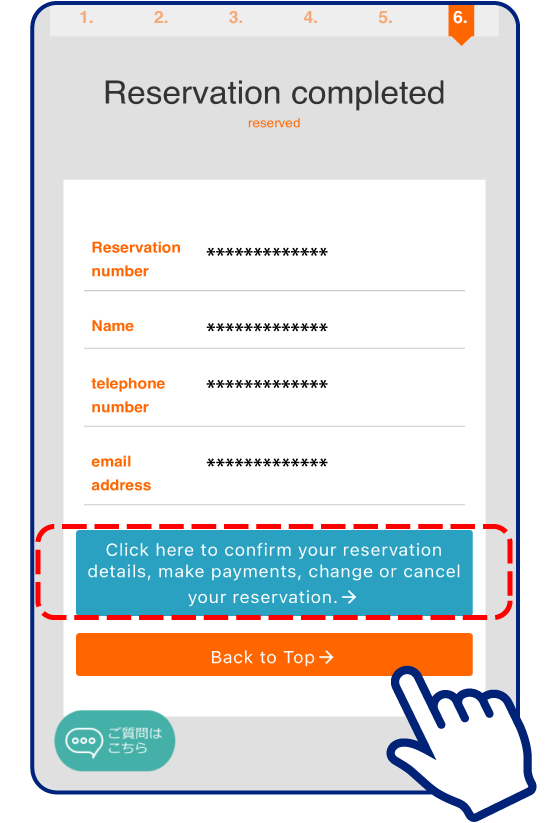
The reservation completion screen
will change to the cancellation screen.
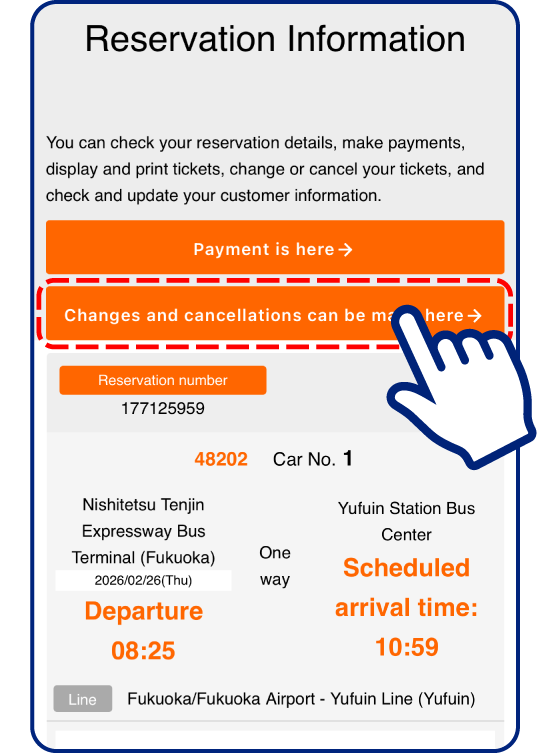
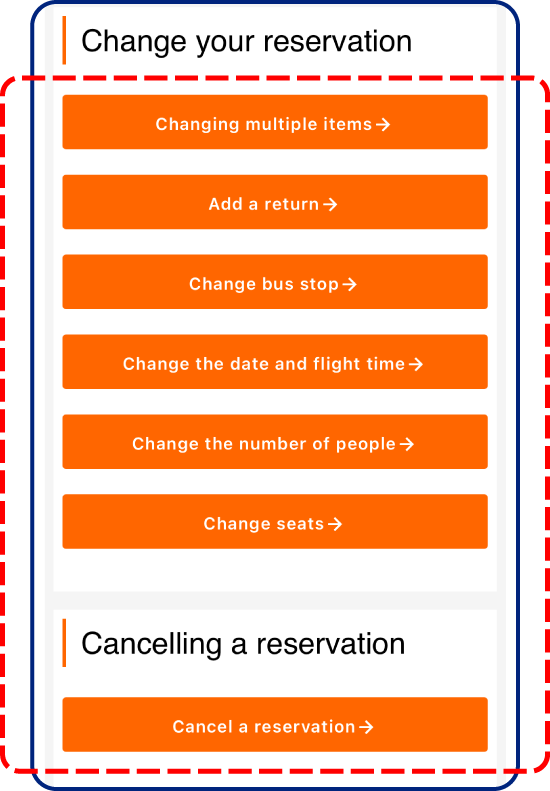
Select what you want to change or cancel.
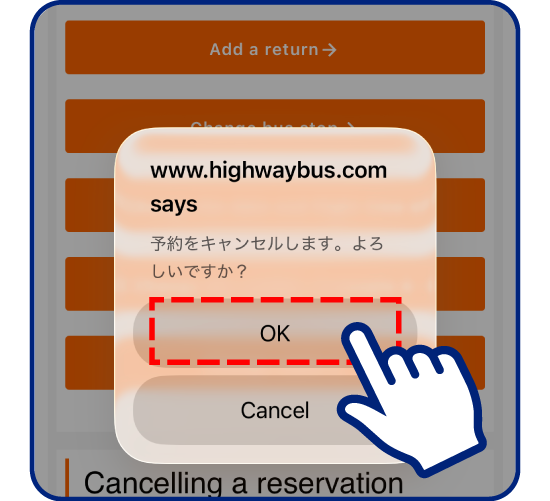
Select cancel
and press “OK”
to complete
the cancellation.
- From highwaybus.com
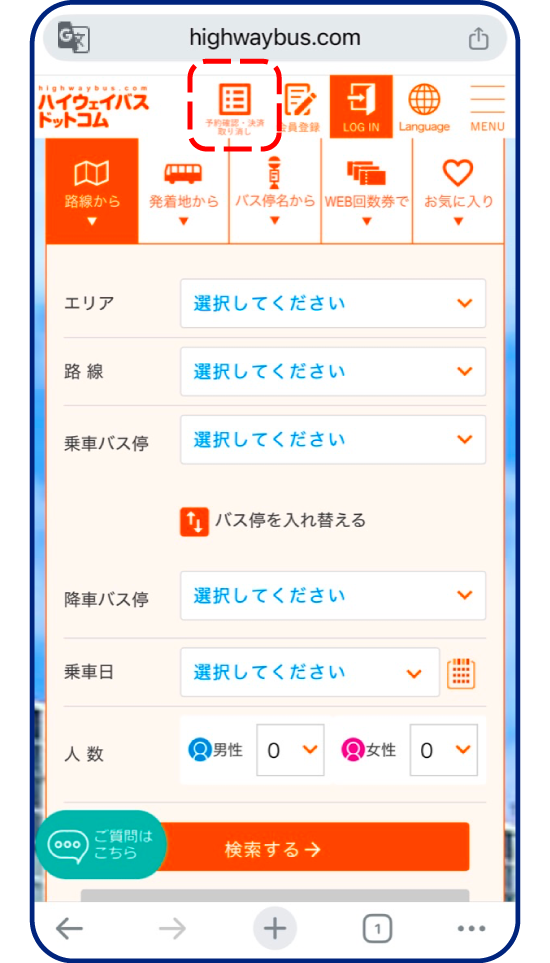
From highwaybus.com
Member
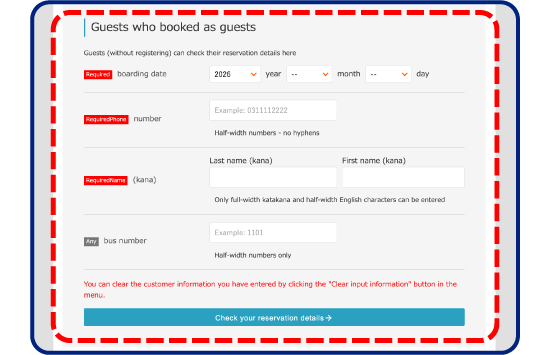
Guest
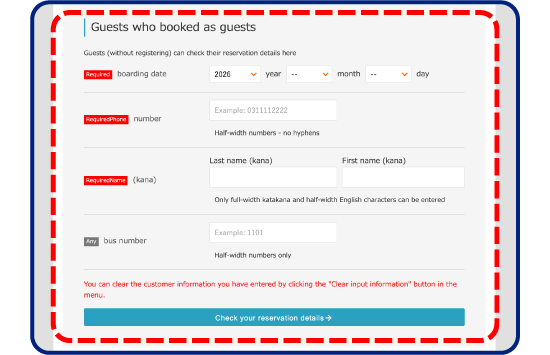
Travel date, name, and
phone number are required fields.
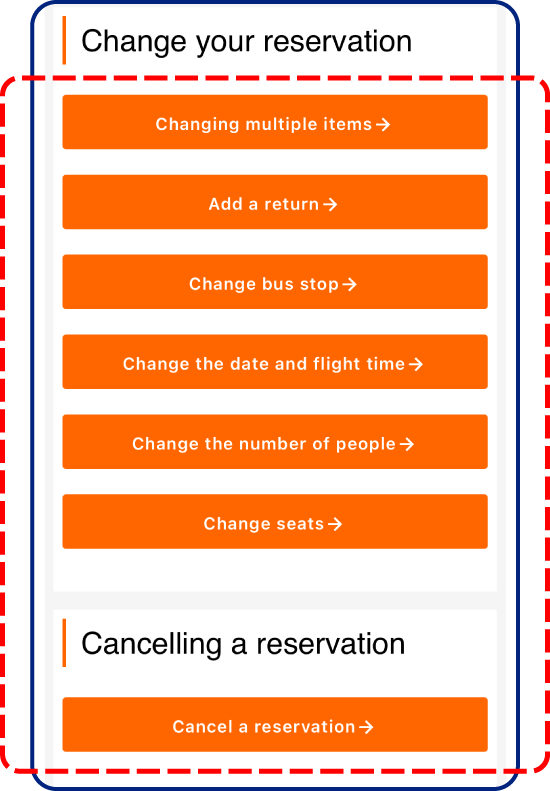
Select what you want to change or cancel.
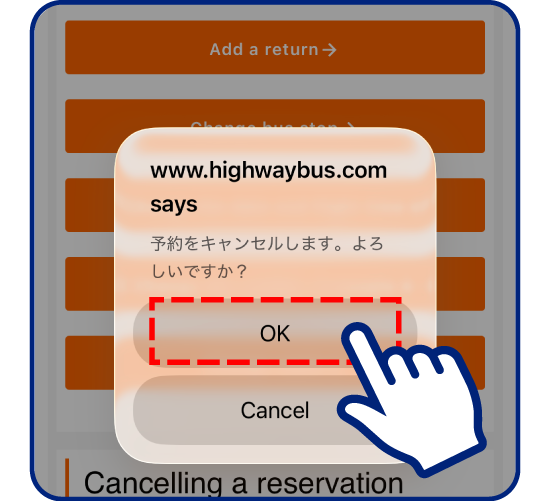
Select cancel
and press “OK”
to complete
the cancellation.
-
At the bus
operator’s counter
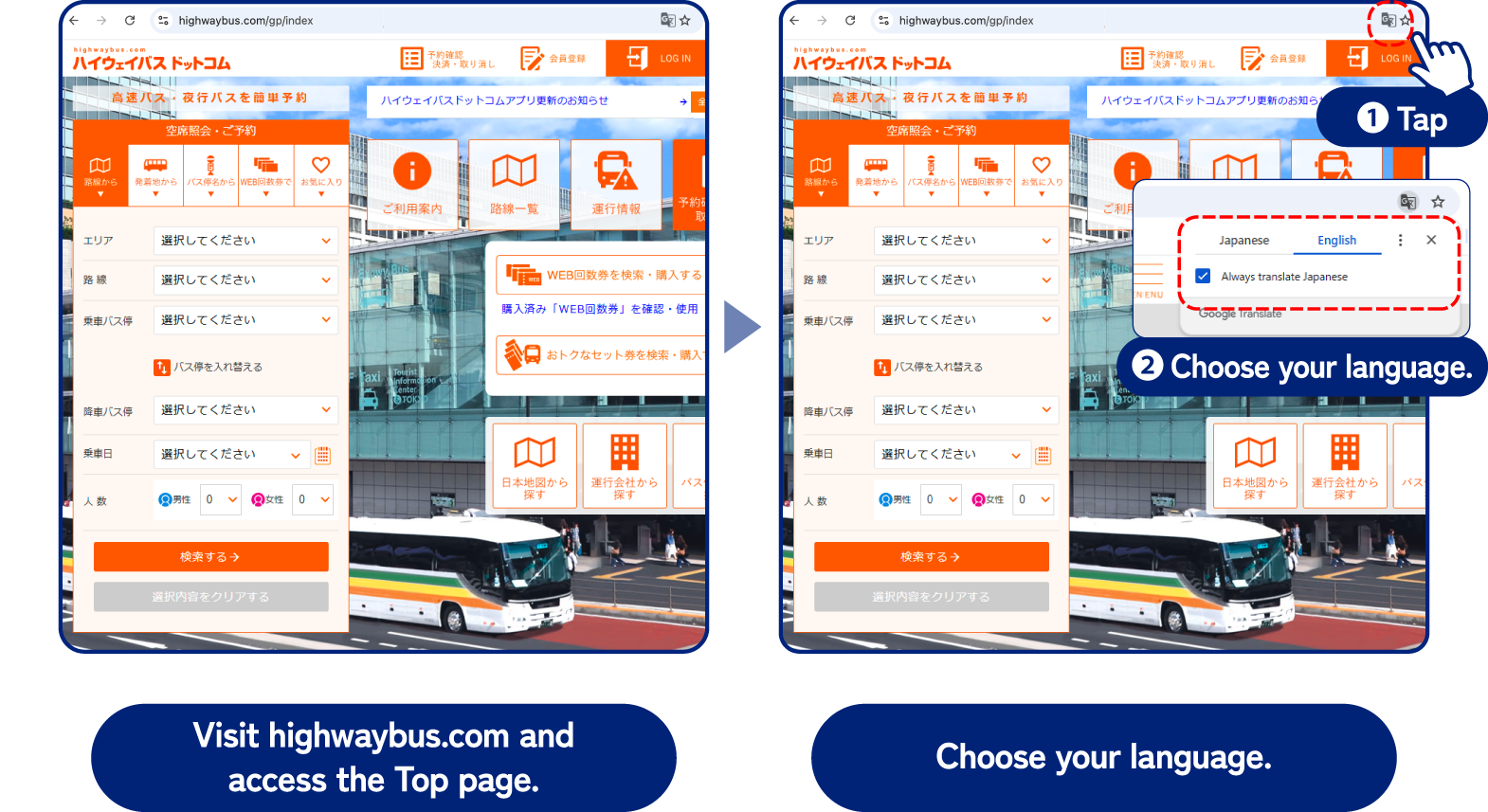
Visit highwaybus.com and
access the Top page.
https://highwaybus.com/gp/index
Recommended browser: Google Chrome
* Other browsers may not translate accurately.
Translation Settings
If you register as a member in advance,
it will make it easier to make reservations.
* Registration is not required.
- How to Reserve Expressway Bus Seats
- How to change or cancel a reservation
How to Reserve Expressway Bus Seats
Check Availability / Reserve
-
-
Search by route Select all your desired stops in order.
-
-
View Schedule Select a time and service
-
-
Select Seat Confirm your reservation details and then select your seat
-
-
Enter Information
-
-
Confirm Details
-
-
Reservation Completed Make sure to write down
your reservation number
and phone number
The information is current as of March 2026
- Search by route
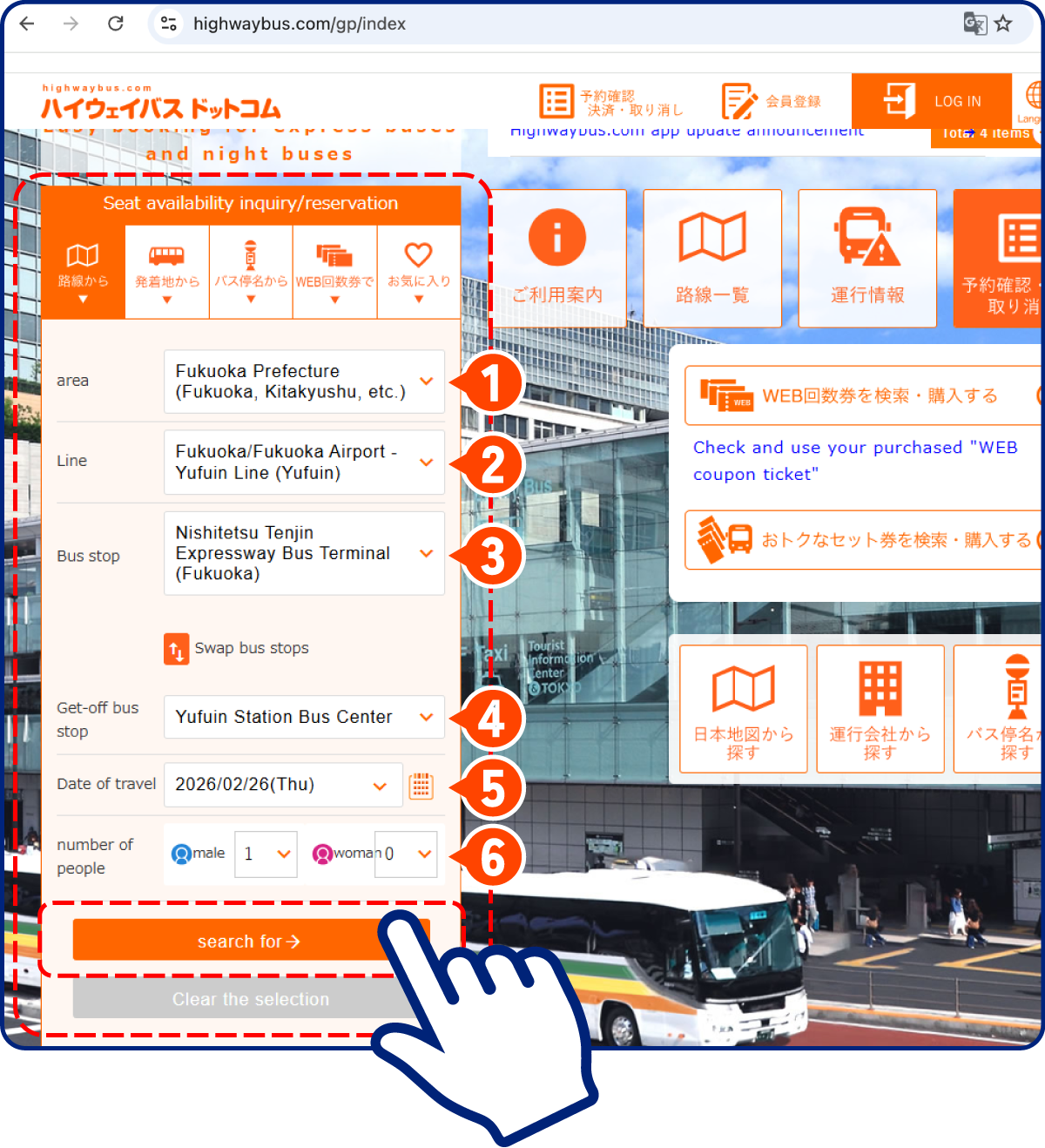
Select all your desired stops in order.
Area
Route
Depart
Arrive
Departure date
Number of passengers
When you’re done, just tap.
- View Schedule
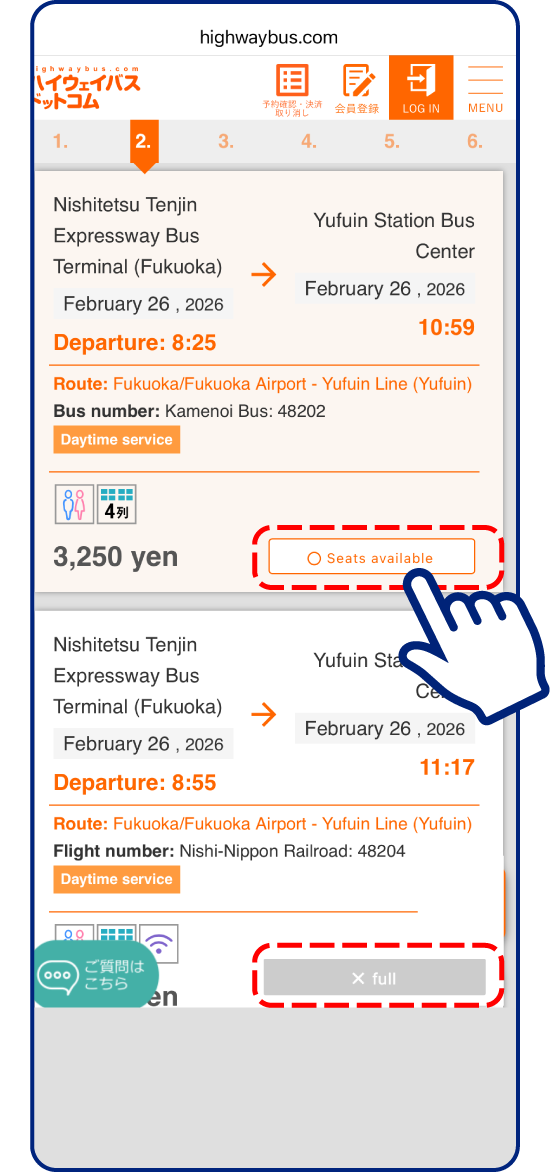
Select a time and service!
Available

Unavailable

If it says “x full,” there are no seats available.
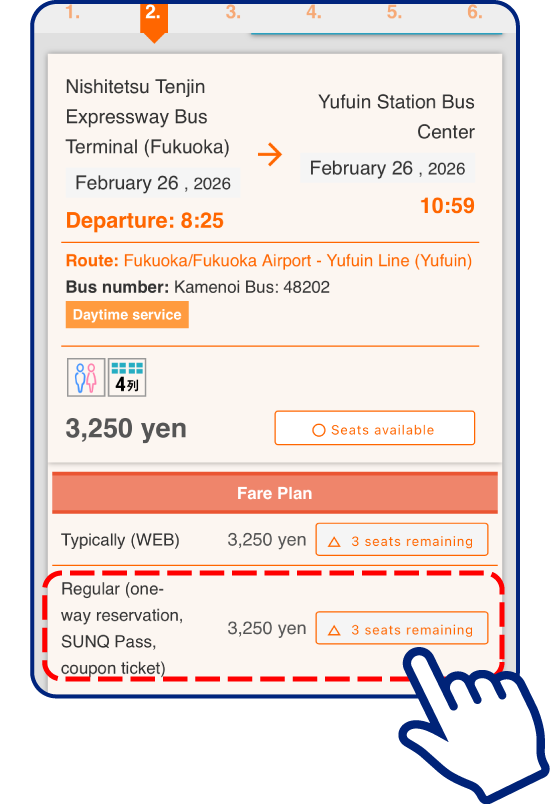
The SUNQ Pass is a convenient and affordable option for unlimited rides on expressway buses in the Kyushu and Shimonoseki area within a designated period.
No need to pay the fare each time!
* Excluding some buses in Kyushu
Tap the button in the SUNQ Pass row
Make sure to select the SUNQ Pass plan and then tap.
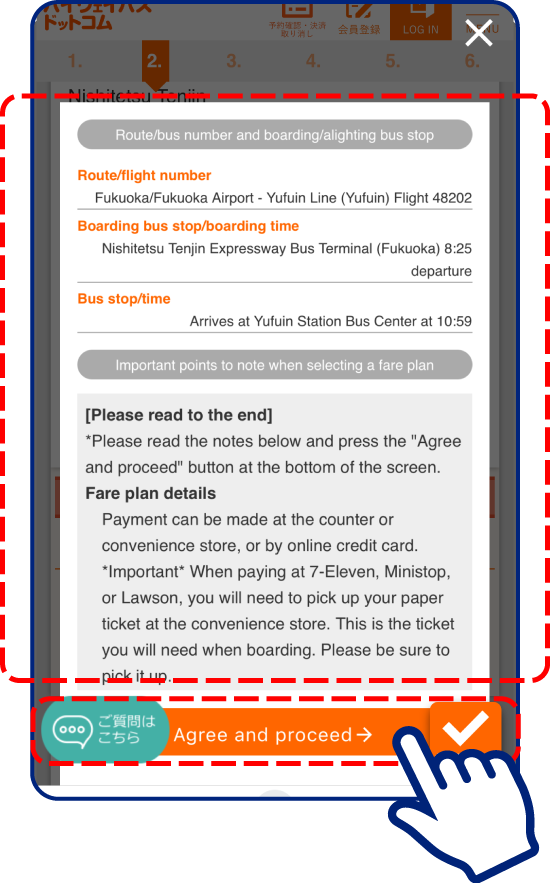
Check
Review your reservation details, read the notes, and proceed to the next step.
- Select Seat
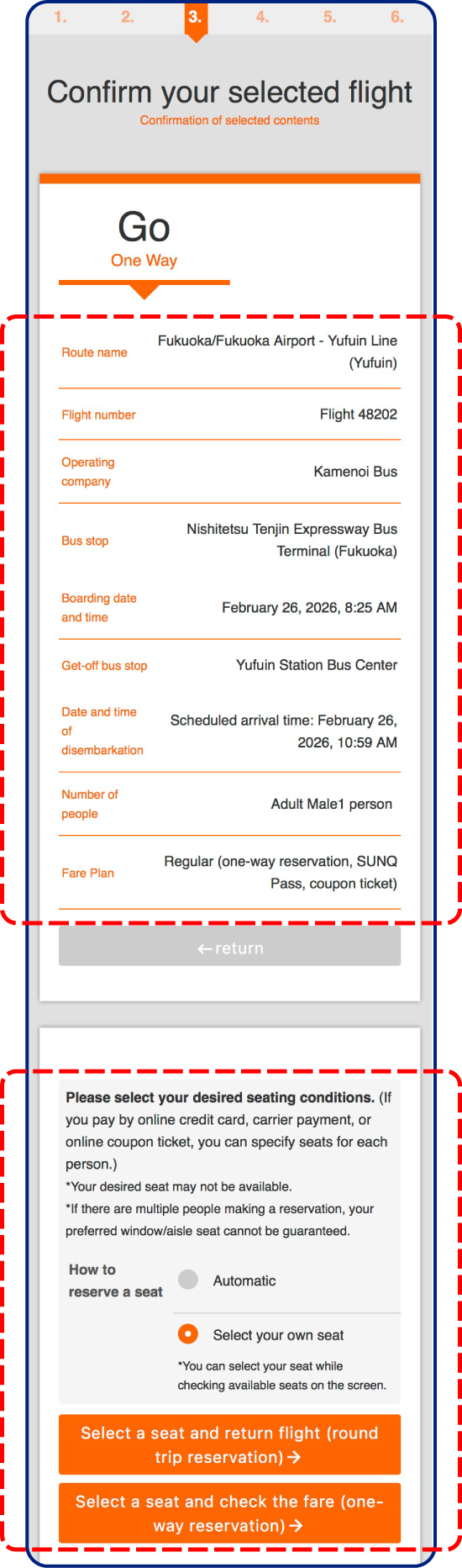
Confirm your reservation details and then select your seat!
Double-check the date and time!
Choose either a One-Way or Round-Trip seat reservation.
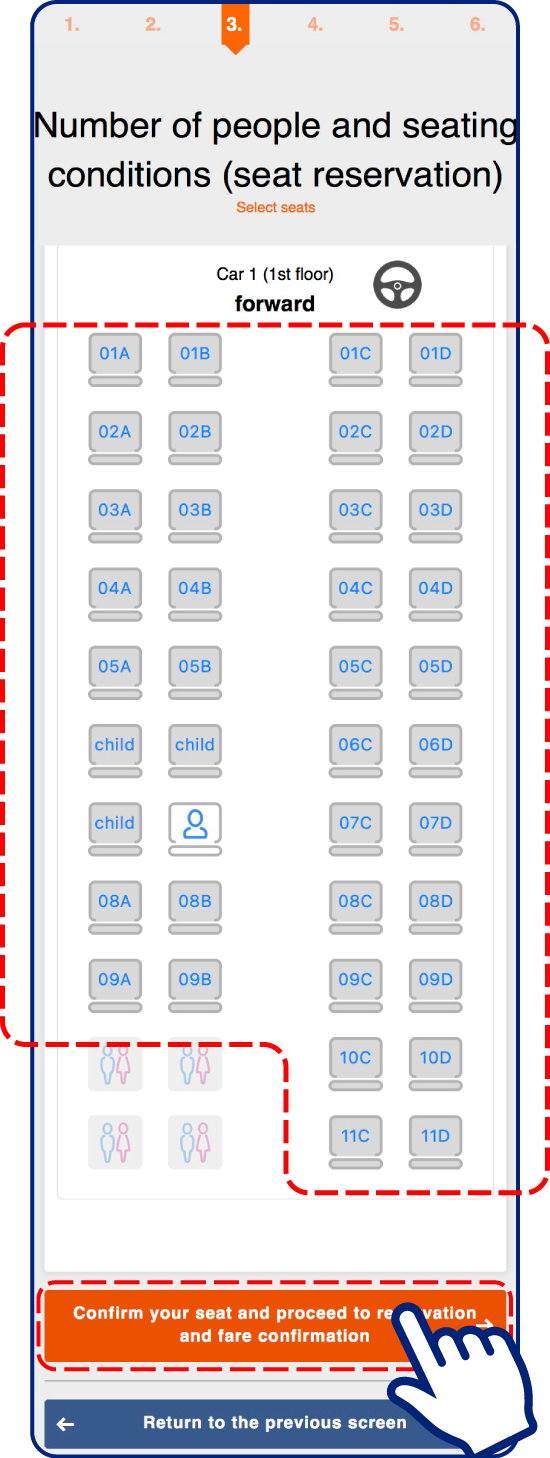
Select your seat.
- Enter Information
Member
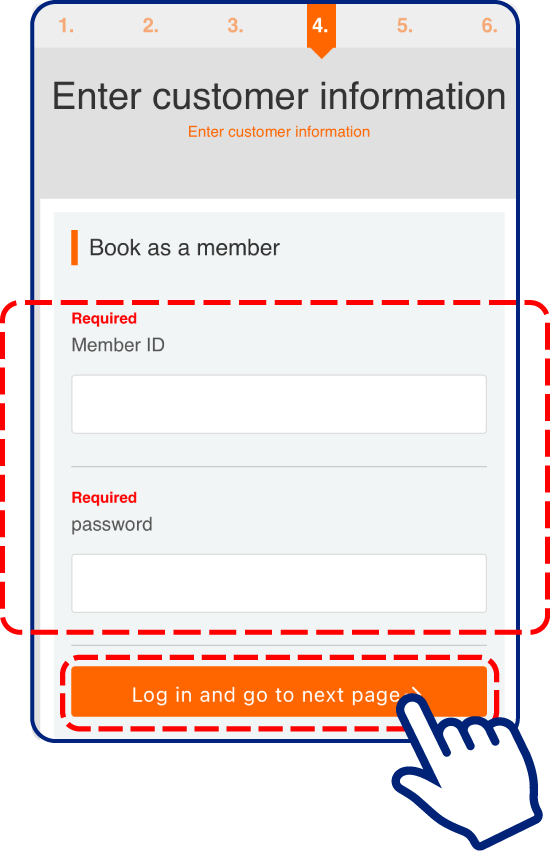
If you are a member, enter your ID and password now.
※If you register as a member now, you will need to
re-enter your information from the beginning
Guest
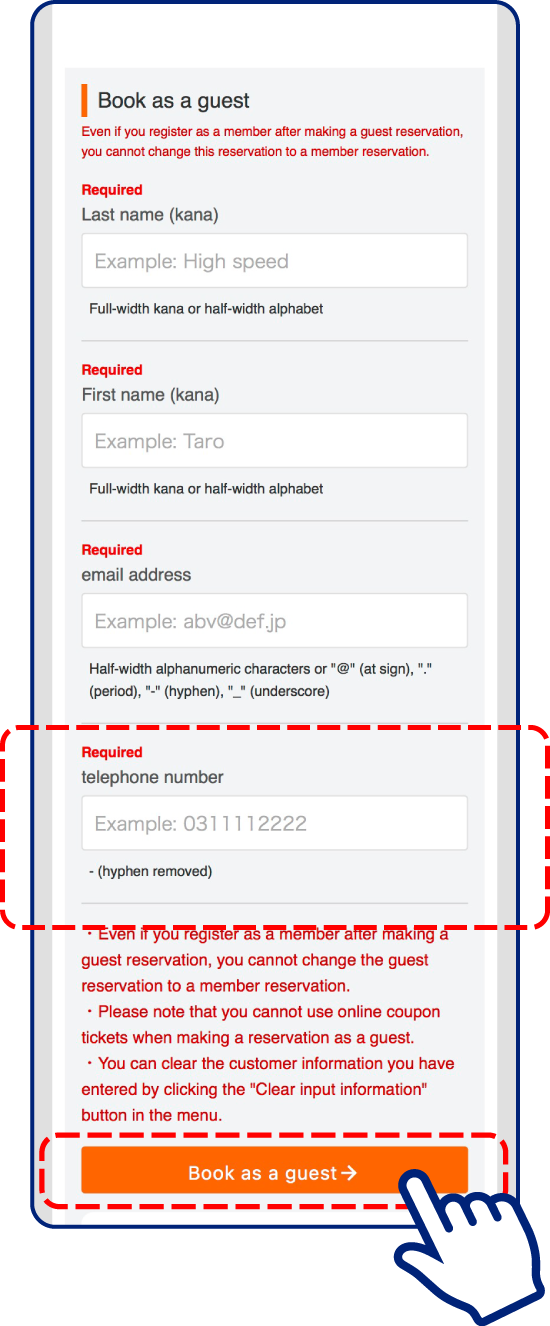
Remember the phone number you use.
You will need it to get your seat reservation ticket at the counter.
- Confirm Details
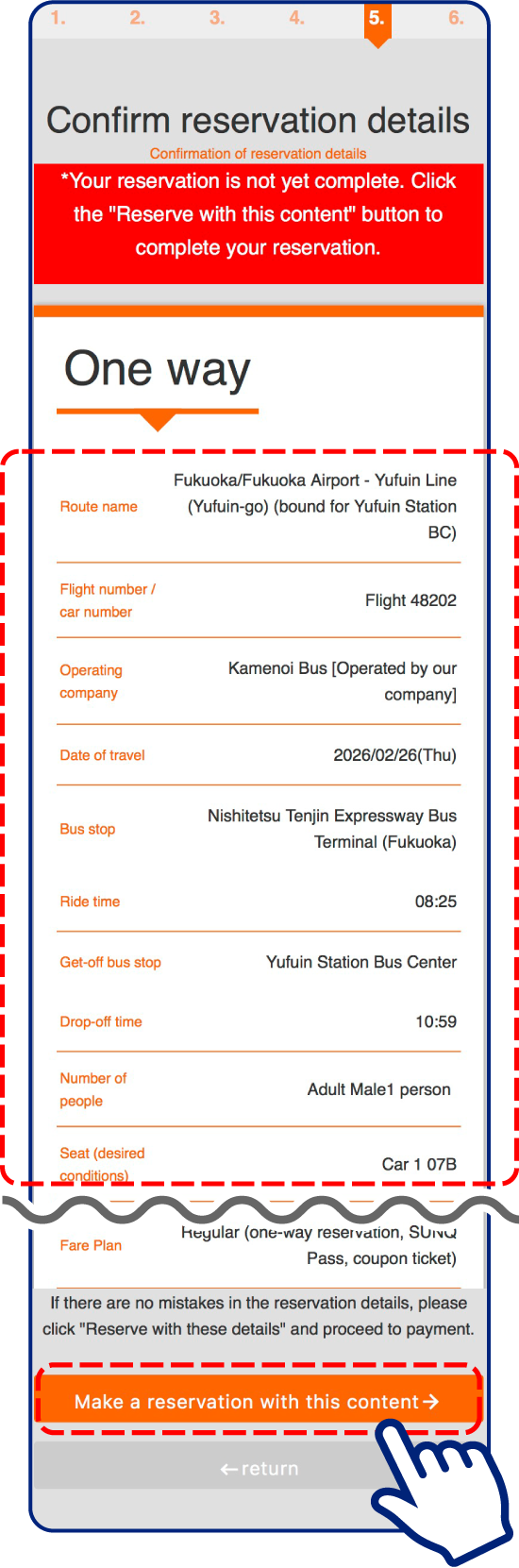
Review your reservation details, then tap.
Check
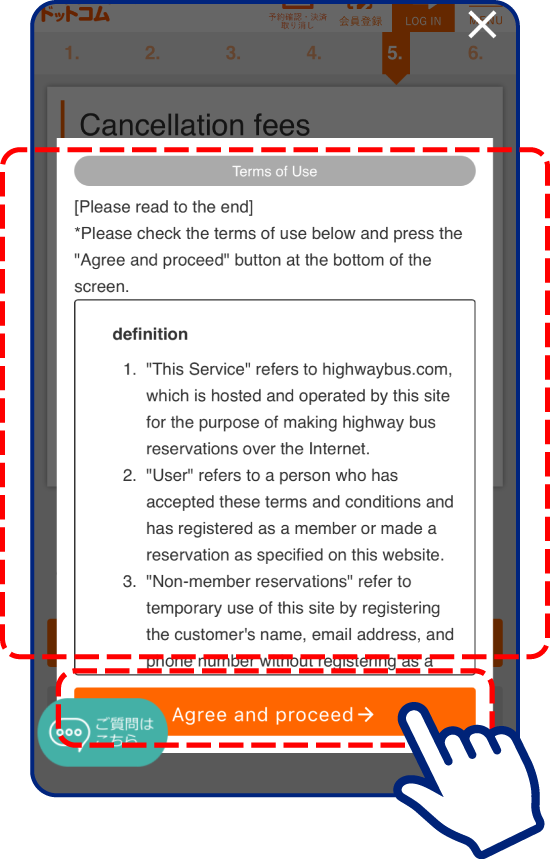
Read the Terms of Use thoroughly.
Tap “Agree”
- Reservation Completed
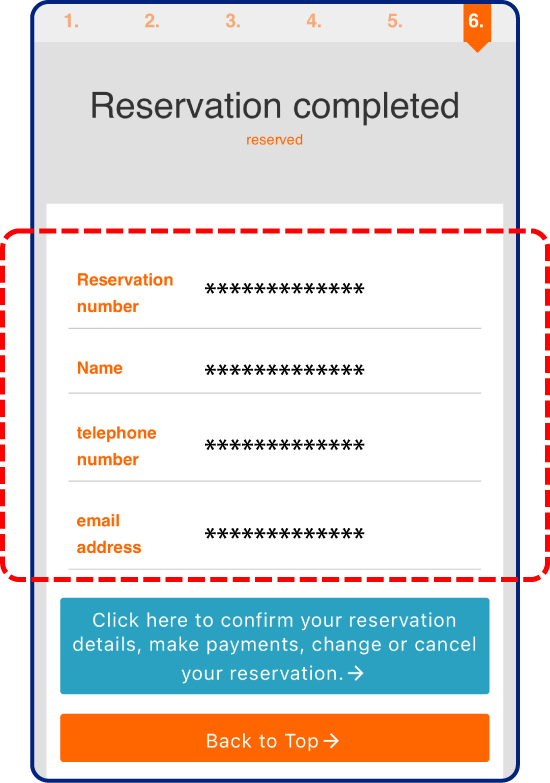
Reservation Completed
Attention
Make sure to write down your reservation number and phone number.
You will need them to get your ticket, make changes, or cancel.
A confirmation email will be sent to the email address you registered.
The email will be in Japanese.
How to change or cancel a reservation
- From the reservation completion screen
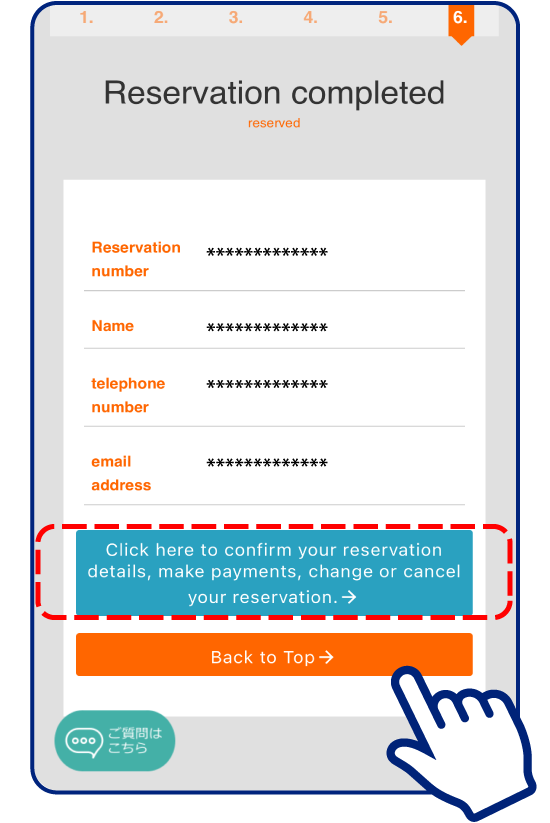
The reservation completion screen
will change to the cancellation screen.
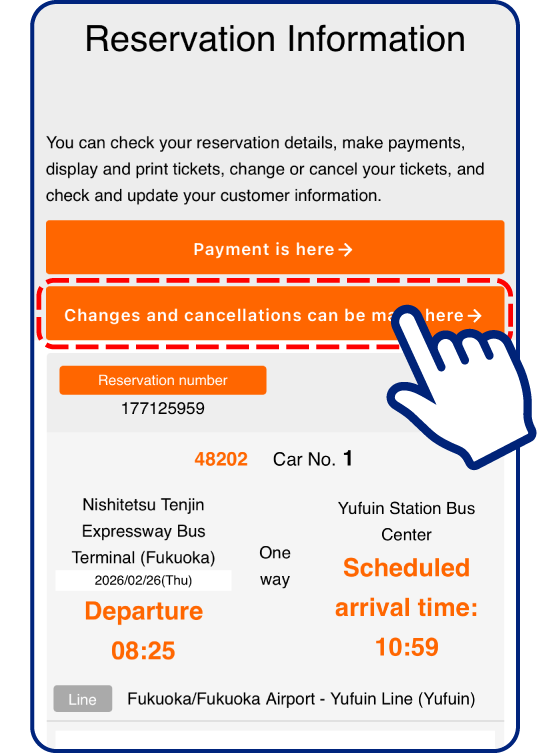
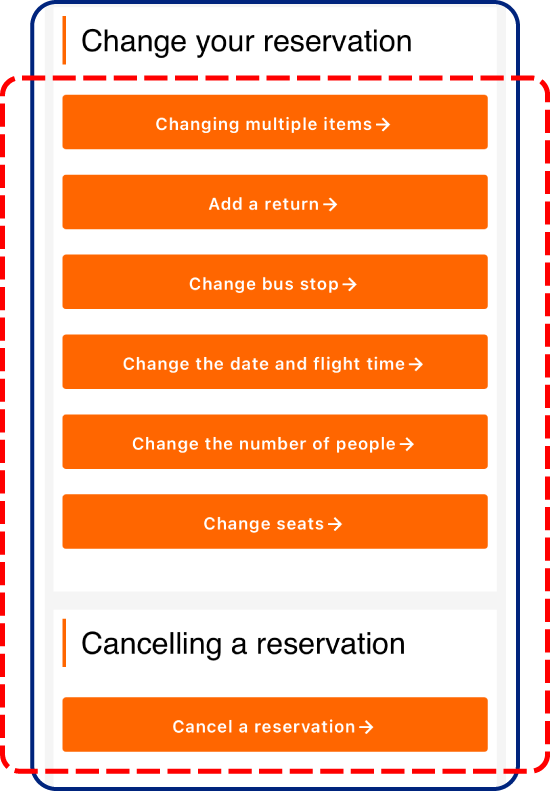
Select what you want to change or cancel.
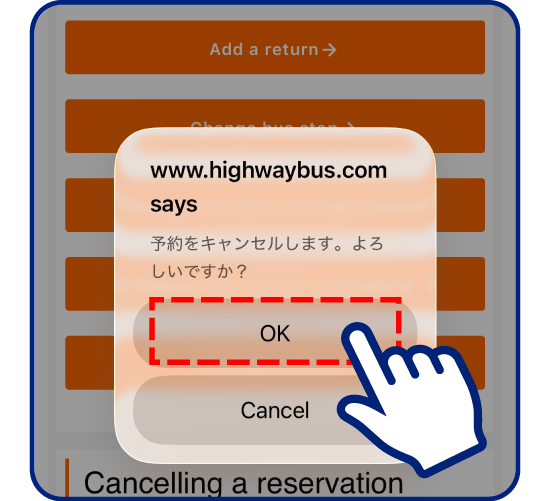
Select cancel
and press “OK”
to complete
the cancellation.
- From highwaybus.com
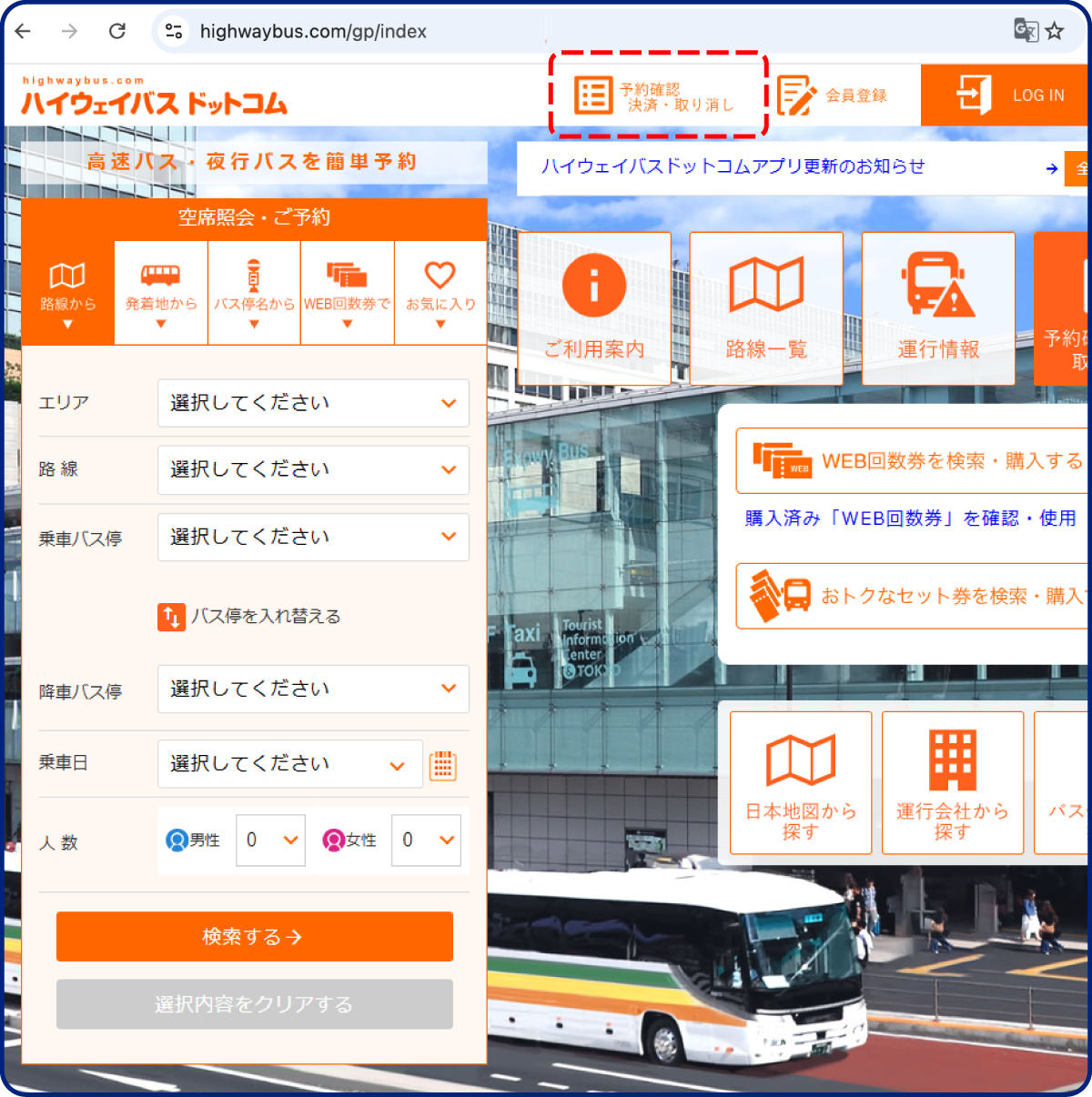
From highwaybus.com
Member
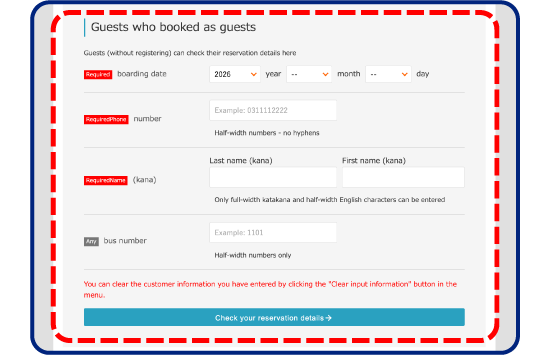
Guest
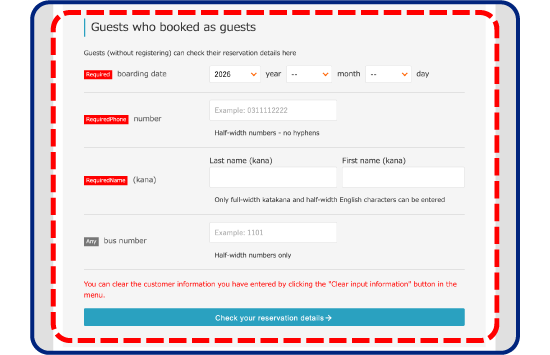
Travel date, name, and
phone number are required fields.
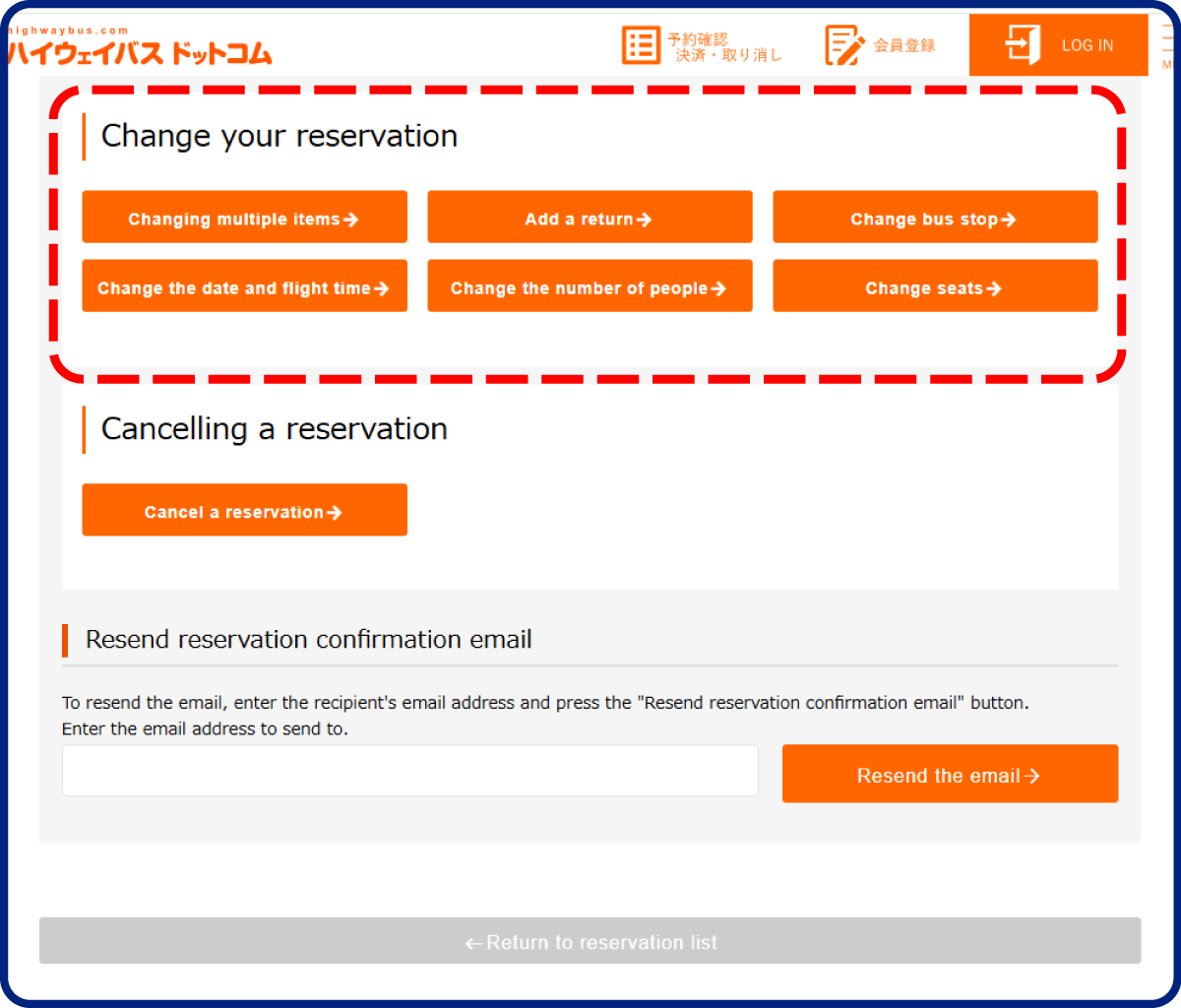
Select what you want to change or cancel.
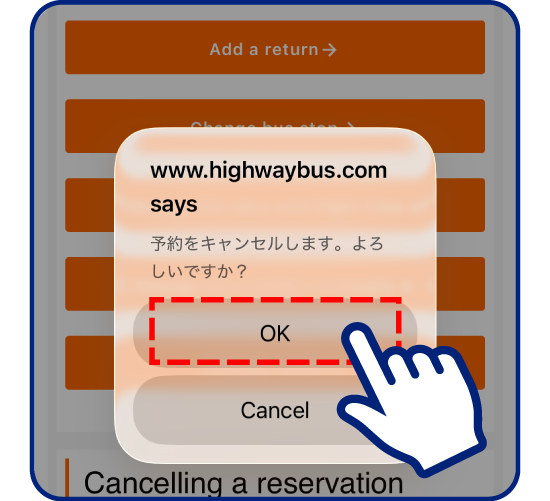
Select cancel
and press “OK”
to complete
the cancellation."
-
At the bus
operator’s counter
On the day of your trip
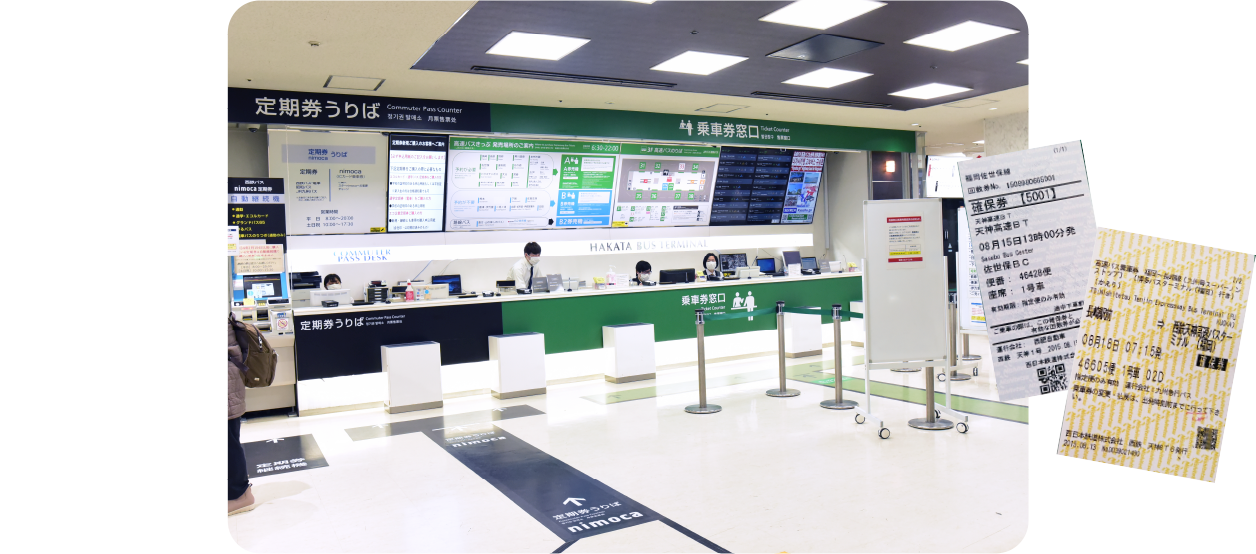
Go to the bus operator’s counter
and show either the phone number
you used or the reservation number
from the confirmation email,
and receive your expressway bus
seat reservation ticket.
Show your SUNQ Pass and ticket
to the driver when you get on.
* The driver will take your ticket when
you get on the bus or when you get off.